MakerBot · 3D Printers
MakerBot Sketch Sprint 3D Printer
Read customer reviews ↗︎Free fast shipping on most orders over $199. Eligibility varies by product. Shipping details ↗
Secure checkout
Buying for an organization?
We accept purchase orders from Education, Government and Business customers.
Discuss a purchase order ↗︎Price match guarantee
Found a lower eligible price? Review our guarantee and request a match.
See terms ↗︎Manufacturer warranty
When you purchase from 3D Printers Depot®, a premium authorized retailer, your purchase includes the official manufacturer warranty and lifetime technical support.
Explore the details
Get to know your next machine.
MakerBot Sketch Sprint 3D Printer
Price Guarantee: We provide all 3D printers with the lowest price in the USA. So if you find a lower price from an online retailer on an identical, in-stock product, tell us and we'll match the price.
Where speed meets innovation
- Our fastest PLA 3D printer
- Safe, reliable, and workday-ready
- Resources for 3D printing success
- Ready to print with Cura Cloud on Digital Factory
Available Packages:
- MakerBot Sketch Sprint 3D Printer - 1 Sketch Sprint 3D printer
- MakerBot Sketch Sprint Classroom - 2 Sketch Sprint 3D printers
Our largest and fastest 3D printer
The MakerBot Sketch Sprint makes 3D printing easy and fast, empowering teachers to bring hands-on learning to the classroom.
Introducing Sketch Sprint
To celebrate the launch of the Sketch Sprint printer, we’re bringing you a special three-part video series packed with hands-on tips, product insights, and inspiration from our in-house experts.

Where Speed Meets Innovation in Every Classroom
Discover the fastest MakerBot printer yet with the Sketch Sprint and innovate like never before.
Safe, Reliable, and Classroom-Ready
Experience a safe and reliable 3D printing solution, with advanced safety features and user-friendly operation.
Resources for 3D Printing Success
Tap into a wide variety of resources aimed at helping educators and students succeed with 3D printing.
Ready to Print with Cura Cloud on Digital Factory
Digital Factory lets teachers manage printers, streamline student work, and stay organized from any device.
Our Fastest Classroom 3D Printer
Where Speed Meets Innovation in Every Classroom
Discover the fastest MakerBot printer yet with the Sketch Sprint, offering rapid print speeds that elevate productivity and creativity across all classrooms.
Faster Prints, More Output
With its compact design and impressive speed—5 times faster than standard 3D printers—educators can easily incorporate 3D printing into more than ever before.
Speed without compromising quality.
Sprint doesn’t sacrifice quality when it comes to speed. Designed to deliver detailed and precise prints, you get the best of both worlds when it comes to this printer.
Making 3D Printing Even More Efficient
The Sketch Sprint combines advanced features with a user-friendly design to enhance reliability and make 3D printing workflows more efficient.

Safe, Reliable, and Classroom-Ready
Safety at the Core of Innovation
Experience a safe and reliable 3D printing solution, designed for classrooms with advanced safety features and user-friendly operation, ensuring peace of mind for educators and students.
Comprehensive Safety Design
Safety is prioritized with a fully enclosed design that creates a secure printing environment for students, minimizing risks during operation.
Classroom-Friendly Filament & Filtration
Utilizing classroom-friendly filament and an integrated HEPA filtration system helps maintain clean air quality, promoting a safe learning atmosphere.
Safety Compliance & User Education
Compliance with Industry Standards: Designed to meet industry safety guidelines, including UL 2904, ensuring it aligns with educational regulations.

Resources for 3D Printing Success
Empowering Educators, Inspiring Students
With MakerBot Sketch Sprint, educators and students gain access to resources that make 3D printing easy—from training and lesson plans to community support—ensuring success in the classroom.
With fast print speeds, easy-to-use features, and extensive training support, the MakerBot Sketch Sprint empowers users to integrate 3D printing into their workflows seamlessly.
3D Printing Curriculum & Tools
Unlock the full potential of 3D printing in education with our extensive resources and support system.
Skill Up with MakerBot: Curriculum & Training
Designed to equip teachers and students with the confidence and skills to tackle 3D printing head-on.
Community & Support
Join a community of educators sharing tips, projects, and advice to help make the most out of the Sketch Sprint in your classroom.
 Ready to Print with Cura Cloud on Digital Factory
Seamless Printing, Anytime, Anywhere
Digital Factory is your all-in-one platform for managing classroom printing. Teachers can manage student submissions, control printers, and organize projects–all from any device.
No Installation Needed
Teachers and students can access Cura Cloud from any browser—no software downloads or updates required.
Easy Student Submissions & Project Management
With the Link Share tool, students submit STL files for teacher review without having to create accounts, making 3D printing simple and secure.
Powerful Printing Management Tools
Teachers can manage multiple printers, queue print jobs, assign projects, and stay organized with just a few clicks.

Get to know the MakerBot Sketch Sprint 3D printer
Test ideas, build interactive learning tools, and inspire design thinking on a platform that grows with your classroom.
Even more features of the Sketch Sprint
Our fastest PLA 3D printer
The MakerBot Sketch Sprint is a fast, user-friendly 3D printer, reaching print speeds of 300 mm/s and travel speeds of 600 mm/s. It supports PLA and Tough PLA, features mesh leveling and live Z-adjustments, and is fully enclosed for safe everyday use.
Heated buildplate
Able to reach 110 °C a magnetic smooth surface ensures maximum print adhesion during the printing process.
PIN code lock
Our Printer Lock feature lets teachers control who can use the printer, keeping it safe and restricted to authorized users.

On board camera
Monitor prints from anywhere and automatically create timelapses.
Mesh calibration
Achieve consistent accuracy with mesh leveling, a leveling process that compensates for height variations across the build plate.
Enclosed material storage
The spool cover reduces the risk of failed prints from students touching it, while printing is in progress while allowing for an easier access for material changes.

Access 600+ lesson plans across all grade levels & subjects
Lower the curriculum planning barrier with over 600 lesson plans made by educators all across the world.
ISTE-Certified 3D printer training for both teachers and students
With ISTE-certified 3D printer training and design thinking curriculum Educators prove their expertise in 3D printing and stand out as STEM education leaders.

Trusted by schools and educators. Loved by students.
Discover how 3D printing with MakerBot is transforming classrooms around the world
"MakerBot gives us the perfect platform for students to learn the concepts of 3D printing."
Prof. Faridodin (Fredi) Lajvardi
President and CEO of Si Se Puede
“The importance of 3D printing in the classroom is that not only can we design something, we can do successive prototypes to come up with an end product.”
Prof. Rahul Chopra
Technological Education Teacher
“Our students are really thinking about how 3D printing can play a role within their everyday lives and how they can use this technology in the real world.”
Prof. Mary Bowden
Richmond Hill Middle School

Individual printer and Classroom setup
Kick off a 3D printing program in your school with enough printers to handle classrooms’ worth of printing with our Sketch Classroom bundles.
Scale to your classroom 3D printing needs
3D printing in the classroom isn’t just about the 3D printer - it’s about the curriculum, the projects, and knowledge that surrounds it. That’s why we’re including printer training, design thinking curriculum and easy access to lesson plans and projects.
The perfect 3D printer to student ratio
Kick off a 3D printing program in your school with enough printers to handle a full classroom’s worth of printing.
ISTE certification for teachers
With ISTE-certified 3D printer training and design thinking curriculum Educators prove their expertise in 3D printing and stand out as STEM education leaders.
Student certification for up to 5 students
Self-paced, interactive training that will prepare you and your students for 3D printing and career-building skills that go beyond the classroom.

Remote monitoring and print management
Start, monitor and pause students’ prints with an intuitive interface combined with an onboard camera to make monitoring prints possible from anywhere.
Student print submission links
Enable students to submit print projects on demand with no software installation required. Empower teachers to manage a single printer or a whole fleet of 3D printers
Tap into all the filament colors
Print with all the colors of the rainbow and more with MakerBot's PLA filaments.

Setting up your 3D printing classroom
Allow for lots of student interaction, hands-on time, and printing in class
Your MakerBot Sketch 3D printer is versatile and can be used almost anywhere in the classroom. With that in mind, the placement of your printer(s) can have an impact on its use during your lessons.

From one classroom to a whole district
We believe that every teacher has the potential to be a 3D printing champion in their district. Our solutions empower educators to unleash their creativity and explore innovative teaching methods, ultimately benefiting students and the entire district.
MakerBot district solution
Streamlined 3D Printing Integration Across Districts.
Our solutions provide opportunities for every student within a district to explore and grow with 3D printing while providing every teacher with the support and resources they need to launch 3D printing successfully in the classroom.

Fostering Skills, Fueling Futures
Equip students with practical skills in creative problem solving, digital fabrication, and give them a competitive edge in a technology-driven job market that will fuel their future success.
District-Wide 3D Printing Made Simple For Every Teacher
We believe that every teacher has the potential to be a 3D printing champion in their district. Our solutions empower educators to unleash their creativity and explore innovative teaching methods, ultimately benefiting students and the entire district.
Making District-Wide Implementation Easy
Our solutions seamlessly integrate into district-wide educational systems, simplifying implementation for administrators and ensuring that teachers can embrace 3D printing without barriers.
Fueling Students' Early Careers
Ensure your students have a jumpstart on their career paths after they leave your school. Experience with 3D printing and 21st-century technologies provides students with valuable skills in problem-solving, critical thinking, creativity, and digital literacy, skills transferable to many careers in today’s rapidly evolving job market.

3 unique ways to deploy 3D Printing
3D Printing for Every Scale of Learning – From Classrooms to Entire School Districts
Level 1 - Classroom
Perfect for introducing students to 3D printing in a single subject or maker lab.
The easiest way to bring 3D printing into your teaching.
A single MakerBot Sketch printer can spark student creativity and introduce design thinking, STEM concepts, and hands-on learning in a safe, easy-to-use format. With quick setup, built-in lesson plans, and teacher training, it’s perfect for small projects, prototypes, and bringing ideas to life—without adding extra workload
Level 2 - School
Multiple printers across classrooms or a centralized lab serving different subjects.
Multiple printers. More students. Bigger ideas.
Sharing 3D printing across classrooms or a STEM lab multiplies learning opportunities. A mix of Sketch and Sketch Sprint printers enables faster turnaround, larger build volumes, and simultaneous projects—supporting science models, history replicas, and prototypes while fostering collaboration and creativity school-wide.
Level 3 - District
Standardized 3D printing across schools for shared resources, and unified training.
Transform Learning at Scale.
A district-wide 3D printing program gives every student equal access to cutting-edge technology and a consistent learning experience. Standardizing on Sketch Sprint and Sketch printers keeps projects moving without bottlenecks, building problem-solving skills and hands-on STEM experience at scale.

Careers Students Can Take 3D Printing to
- Robotics & Automation
- Space Exploration
- Manufacturing and Prototyping

- Research & Development
- Automotive and Transportation
- Product development

How MakerBot Supports District Roll-Outs
Printers, Training + Classroom Management Tools, Support Every Step of the Way
Step 1: Printers
- Easy-to-use
- UL-Certified
- Fully enclosed printers
- Manufacturer support
MakerBot Sketch Printers are designed to work with teachers & students of all skill levels and integrate seamlessly into their classrooms.
Step 2: Teacher Support
- Comprehensive 3D printing training program for teachers
- Teachers learn how to develop their own 3D printing lesson plans and projects.
- 10 hours of PD available
We support every teacher in their 3D printing journey by including printer training and design thinking curriculum to guarantee your teachers can start printing on day one.

Step 3: Student Onboarding
- Comprehensive 3D printing certification program for students
- Student accessibility tools
- Design thinking & 3D printing course
We empower students to be the driving force behind the design thinking process, encouraging them to identify problems, innovate solutions, and bring them to life through 3D printing.
Step 4: Classroom Management
- District management tools for easy deployment
- Teacher management tools for classroom printing
- Remote monitoring with every printer
- 600+ lesson plans available for teachers
We make the classroom 3D printing experience easier for every teacher by incorporating classroom

Let’s hear from Montclair school district
“Reliability was obviously a big factor, we didn’t want to bring something in that would fail – but we knew we’d be successful with MakerBot.”
Dr. Joseph Putrino
Principal, Glenfield Middle School

Fast prints, more output
Speed without compromising quality
The MakerBot Sketch Sprint is a fast, user-friendly 3D printer, reaching speeds of 300 mm/s without sacrificing quality. It delivers precise, detailed prints, giving you the best of both speed and performance.

Safe, reliable, and workday-ready
Safety at the core of innovation
Designed with a fully enclosed structure and safety lock features, the Sketch Sprint ensures a secure printing environment, giving teachers peace of mind as students explore the world of 3D printing.

Resources for 3D printing success
Skill up: Curriculum & training
MakerBot's Learning Platform offers intuitive courses, assessments, and tools to help you master 3D printing—perfect for honing your skills and advancing your projects.

Ready to print with Cura Cloud on Digital Factory
Seamless printing, anytime, anywhere
Digital Factory’s features make managing 3D printers easy. Queue print jobs to different printers, assign specific projects to users, and manage everything with just a few clicks—all designed for everyday productivity.

Additional features

The MakerBot education ecosystem
We provide everything you need to scale classroom 3D printing to your needs. Reliable and easy-to-use 3D printers. The largest 3D printing community for educators. Free lesson plans and curriculum. And MakerBot Certification.
Specifications
| General | |
| Print Technology | Fused Deposition Modelling |
| Build Volume | 220mm x 220mm x 220mm (8.66 x 8.66 x 8.66 inches) |
| Layer Resolution |
200 microns
Print mode tuned for 200 microns |
| Material Diameter | 1.75 mm |
| Material Compatibility | MakerBot PLA MakerBot Tough PLA |
| Extruder Compatibility | MakerBot Sketch Extruder |
| Nozzle Diameter | 0.4 mm (0.015 inches) |
| Print File Type | .MAKERBOT |
| Temperature | |
| Ambient Operating Temperature | 15-30°C (59-86°F) |
| Storage Temperature | 0-55°C (32-131°F) |
| Size & weight | |
| Product Dimensions |
452mm (W) x 400mm (D) x 466mm (H)
17.79in (W) x 15.75in (D) x 18.35in (H) |
| Shipping Box |
525mm (W) x 500mm (D) x 567mm (H)
20.67in (W) x 19.68in (D) X 22.32in (H) |
| Product Weight | 16kg (35.27b) |
| Shipping Weight | 22.26kg (49.08lb) |
| Mechanical | |
| Build Surface | Flat surface |
| Build Plate Leveling |
Heated with removable flexible build surface
|
| Safety & compliance | |
| Safety |
Fully enclosed
HEPA and Carbon Filters UL, CE, FCC IEC/ EN/ UL60950-1, IEC/ EN/UL 62368-1 |
| Software | |
| Software Bundle | Digital Factory Cura 5.9 |
| Supported File Types |
MakerBot (.makerbot)STL (.stl)
|
| Operating Systems |
Windows, Mac OS X (10.12+)
Chromebooks Note: Does not support Mac Catalina |
| Electrical | |
| Power Requirements |
100-240 V, 50-60 HZ2.7-1.3A
|
| Connectivity | USB, Wifi |
| Camera | |
| Camera resolution | 2 megapixels |
Inclusions:
|
Sketch Sprint Best for small size projects in a classroom |
Sketch Sprint Classroom
Double your printing capacity |
|
Printer 1 Sketch Sprint |
Printer 2 Sketch Sprint |
|
Student certification 5 seats Educator certification 1 seats |
Student certification 10 seats Educator certification 2 seats |
|
Material 2 starter spools |
Material 4 starter spools |
|
Combined build volume 649 inch³ |
Combined build volume 1,299 inch³ |
Before it arrivesPlan your delivery.
support@3dprintersdepot.com
Plan your delivery.
Start with confidence.
support@3dprintersdepot.comMon–Fri · 9am–6pm PST
Freight & receiving
Large machines may require freight delivery and suitable unloading equipment. Check the dimensions and shipping weight in the specifications, then confirm any access or appointment requirements with us.
Shipping costs & timing
Shipping costs and eligibility depend on the product and destination. Lead times depend on supplier stock, dispatch, carrier service and, for international shipments, customs. Checkout shipping rates are not a delivery-date guarantee. Contact us before ordering if you have a deadline. Shipping information ↗︎
Warranty & after-sales support
Manufacturer coverage varies by product. Review the product specifications and contact our support team for model-specific warranty details, parts and service assistance.
Ordering with a purchase order
Education, Government and Business customers can request a quote and submit procurement requirements to our team. Include the product, quantity, organization and delivery ZIP code. Contact us ↗︎
Customer reviews
Questions & answers
Ask about this product +
Need a detail confirmed? Send your question to our team. We’ll reply by email.
Keep exploring
More possibilities for your next project.
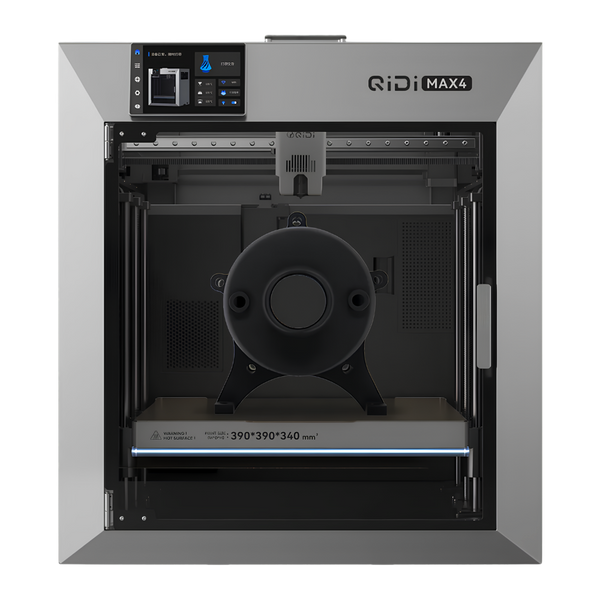
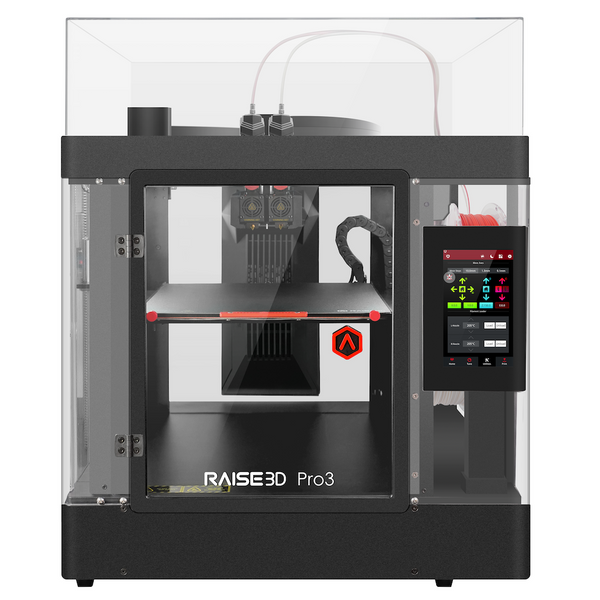
Raise3DRaise3D Pro3 Large Format Professional Dual Extruder 3D Printer
From £2,667.00 £4,979.00
View product ↗︎